










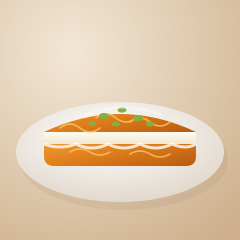

Allergens, beside every item
Mark the allergens in each item and they appear beside it with a clear icon and name, so customers know before they order.
Shakshuka
Saudi Riyal32420 kcal109 min of walkingAllergens: Eggs, Gluten
Allergens
- Eggs
- Gluten
Electronic Menu
Available nowCreate a professional electronic menu that fits your brand, add your items with ease, and edit your menu anytime without changing its link or QR code.
Registration is free and needs no card. Your trial starts when you activate it from your account.
Plans start from Saudi Riyal79 a month
You choose your plan in your account after the trial, and the final price you pay is shown before you confirm.
A demo café menu running on the same Electronic Menu you would use. Open it on your phone from the QR code, or copy its link and send it to your team.
The venue, its items and its prices in the demo are for illustration only.
Upload your menu as a PDF or photos, or paste a link to it. We read the sections, items and prices and lay them out for you. You check and edit before any customer sees them.
Without import
You type every section, item and price by hand, once in Arabic and again in English.
With import
You upload the menu you already have, check what we read, and fix only what needs fixing.
An example with sample data
A PDF, photos of the menu, or a link to its page.
مقهى نخلة
Nakhla Café
المشروبات الحارةHot drinks
الحلىDesserts
This example uploads and reads nothing. The real import is in your account.
What you can import
Up to 20 imports a day for each business.
All your branches in one account, each with its own menu, QR code and contact details.
Add as many branches as you need under your business account.
A menu for each branch, another for breakfast or the season, all managed in one place.
Room for the largest menus, in Arabic and English.
Each preview is the demo menu itself, drawn by the real template. Pick one and try it.
The menu's link and QR code stay the same. Edit your items and prices whenever you like, and customers see the change behind the same code.
Print the code once; ordinary edits need no reprinting.
A branch's menu has its own code and opens with that branch's name and contact details.
On a published menu, an item or price edit reaches customers the moment it is saved.
Template and colour changes wait until you publish them, so you review them in the preview first.
Show customers what they need to know before ordering: allergens, calories and the matching walking minutes, in Arabic and English.
Mark the allergens in each item and they appear beside it with a clear icon and name, so customers know before they order.
Shakshuka
Saudi Riyal32Each item's calories beside its price.
Suggested automatically from an item's calories, and shown beside them as a walking time.
Mark high-salt items and a clear notice appears beside them for your customers.
Customers switch the menu's language with a tap.
Your prices carry the new Riyal sign, and a discount shows with the original price struck through.
The branch's phone number and map location, as clear icons inside the menu.
The menu provides the way to show this information; the accuracy of item data remains the business's responsibility.
A menu page that is quick on a phone, easy for customers to move around and easy for search engines to understand.
A lightweight menu page, with item photos sized to open quickly on a mobile network.
The section bar stays in view while scrolling and marks the section the customer is reading.
Every published menu has a fixed address, and a title and description in your business's name, in Arabic and English.
Your menu shows your items only, with no third-party advertising.
Links to your social media accounts, as icons inside the menu.
Call the branch or open its map location straight from the menu.
A free account in minutes, with no card.
Your free trial starts when you press "Start free trial" in your account.
Your items, photos and prices, plus the template and colours, with a preview before you publish.
Once your email is confirmed, publish the menu; its code keeps working through every update.
Every Electronic Menu feature is in both subscriptions. Only the length and the price differ.
A 7-day free trial that starts when you activate it
Saudi Riyal79per month
Pay month by month.
Every Electronic Menu featureFull feature list
Previous price Saudi Riyal 799
Saudi Riyal599per year
Save 36% compared with 12 monthly payments
Pay once for the whole year.
Every Electronic Menu featureFull feature list
You see the final amount before you confirm payment.
No. You add your sections and items from your dashboard like filling in a form, pick a template and colours with a live preview, then publish.
Yes, anytime and from your phone. On a published menu, an item or price edit reaches customers as soon as it is saved; template and colour changes appear when you publish them.
No. The menu's link and code stay the same, and your edits appear behind them with nothing to reprint.
Yes. Add all your branches to your business account, each with its own menu, code and contact details.
Yes. You write each item's name and description in Arabic and English, and customers switch the menu's language with a tap.
If menu import with AI is available to your account, you upload your current menu as photos, a PDF or a link; Shahizy extracts the sections, items and prices for you to review and correct before saving, into a new menu or an existing one. If it isn't available, you add your items yourself.
Yes. You add each item's calories and allergens, the matching walking minutes are suggested for you, and you choose to show them on your menu. The accuracy of this data is your business's responsibility.
Both have the same features. Only the length and the price differ, and you see the final price before you confirm payment.
When you activate it. After registering you'll find a "Start free trial" button in your account, and the trial runs from the moment you press it. Registering alone doesn't start it, and no card is needed.
Yes. Mark it unavailable to keep it visible with a notice, or archive it to hide it and bring it back whenever you like. Archiving isn't deleting.
Before you confirm payment you see the final amount you pay, and where VAT applies it appears on your order and your document.
The menu stops being shown to customers, and your items stay saved in your account for when you renew.
Every feature is in both the monthly and the annual subscription. Only the length and the price differ.
| Feature | Monthly | Annual |
|---|---|---|
| A Saudi platform | Included | Included |
| Unlimited branches | Included | Included |
| Up to 60 menus per business | Included | Included |
| Up to 50 sections per menu | Included | Included |
| Up to 500 items per menu | Included | Included |
| Arabic | Included | Included |
| English | Included | Included |
| Fits phones, tablets and computers | Included | Included |
| A lightweight, quick-loading menu page | Included | Included |
| Menu import with AI | Included | Included |
| Import from photos | Included | Included |
| Import from a PDF | Included | Included |
| Import from a link | Included | Included |
| Import into an existing menu | Included | Included |
| 5 menu design templates | Included | Included |
| 18 selectable colour palettes | Included | Included |
| Item photos | Included | Included |
| Calories | Included | Included |
| Allergens | Included | Included |
| Walking minutes for the calories | Included | Included |
| High-salt item notice | Included | Included |
| A QR code for the menu | Included | Included |
| A QR code for each branch | Included | Included |
| Menu edits without changing the QR code | Included | Included |
| Discount prices with the original struck through | Included | Included |
| The official Saudi Riyal sign | Included | Included |
| Mark an item unavailable | Included | Included |
| Search-engine-friendly menu pages | Included | Included |
| Social media links | Included | Included |
| Contact details for each branch | Included | Included |
| Ad-free menus | Included | Included |
| Easy navigation between menu sections | Included | Included |
Register your business for free, activate your trial when you're ready, or open the demo menu first.